Using Skillz SIDEkick for Godot
About
The Skillz SIDEkick is a set of features that allows you to test your game's integration with Skillz within the Godot editor. This reduces the need to build to mobile devices during development and enables testing various scenarios within the editor, greatly increasing the velocity at which you can iterate on your Skillz game.
In Godot, SIDEkick is a GDScript backend inside the addon (addons/skillz/sidekick/) with the same methods and signals as the native SDK. Your game code needs no changes: pressing Play in the editor runs it against the simulator. It works on macOS, Windows and Linux editors alike.
Key Features
Test Your Game's Workflow
You can test your game's workflow with Skillz in the Godot editor after you've installed the Skillz SDK, launched the Skillz UI, and set up the core loop (Standard Gameplay Setup). The simulator displays low-fidelity screens that simulate the Skillz workflow: launch_skillz() opens a simulated Tournament Selection screen, Enter Match fires match_will_begin with a match built from the picked templates, scores are accepted, report_final_score() shows a Match Complete screen whose Continue returns to the lobby, Start Menu fires skillz_will_exit, and abort_match() shows Match Aborted.
NOTE: SIDEkick does not connect to Skillz servers from the Godot editor.
The Skillz SIDEkick Dock
Enabling the plugin adds a Skillz SIDEkick panel to the editor's right dock. From it you create the project config, toggle the simulator and its logging, and run Check integration, which reports settings the SDK cannot fix for you: skillz/game_id set, skillz/orientation agreeing with the window orientation, a main scene, a loadable config, and on iOS the push entitlement.
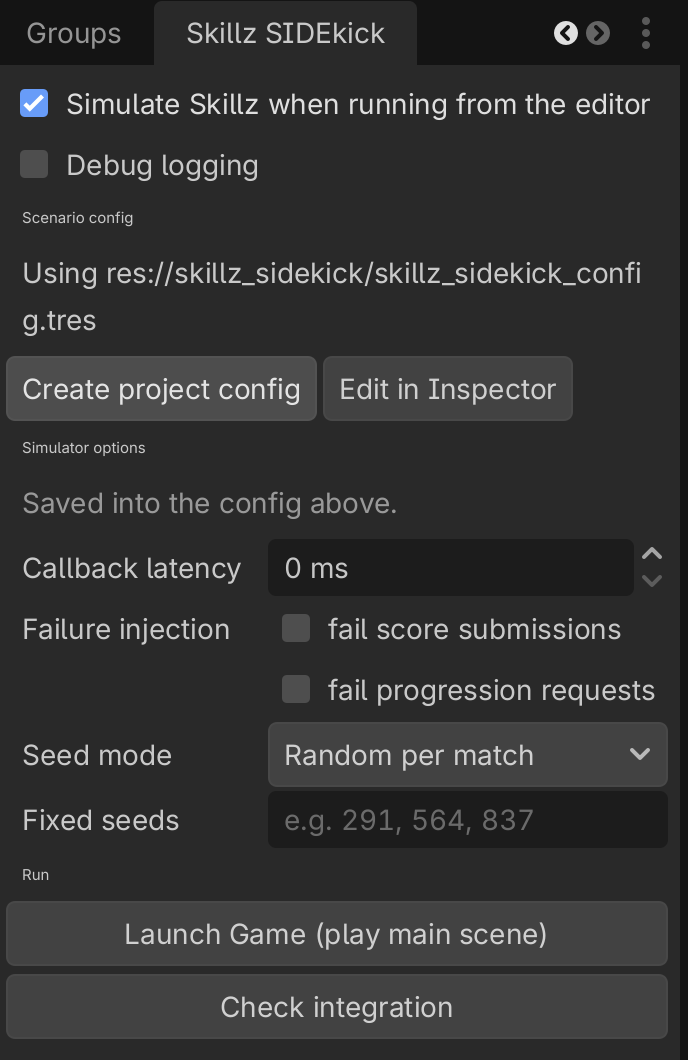
Simulate Responses for Skillz API Calls
The simulator answers the Skillz API from editable templates, so you can experiment with how your game behaves in various scenarios without connecting to a Skillz server. The customizable responses are listed below along with their corresponding API calls.
Match Types:
Skillz.get_match_info()
Current Player:
Skillz.get_player()
Gameplay Parameters:
Skillz.get_match_rules()
Progression Data:
Skillz.get_progression_user_data()
Skillz.update_progression_user_data()
Seasons:
Skillz.get_current_season()
Skillz.get_previous_seasons()
Skillz.get_next_seasons()
NOTE: Almost all other API calls will work as intended in SIDEkick, but do not have customizable responses. Audio API not included.
Testing Your Game's Workflow
Running Your Game
Open your start menu scene, or set it as the main scene, and press the editor's Play button. The simulator is on by default (skillz/sidekick/enabled); turning it off makes editor runs use the native desktop stub instead, which exists on macOS only.
When Skillz is launched, the simulator loads a screen similar to:
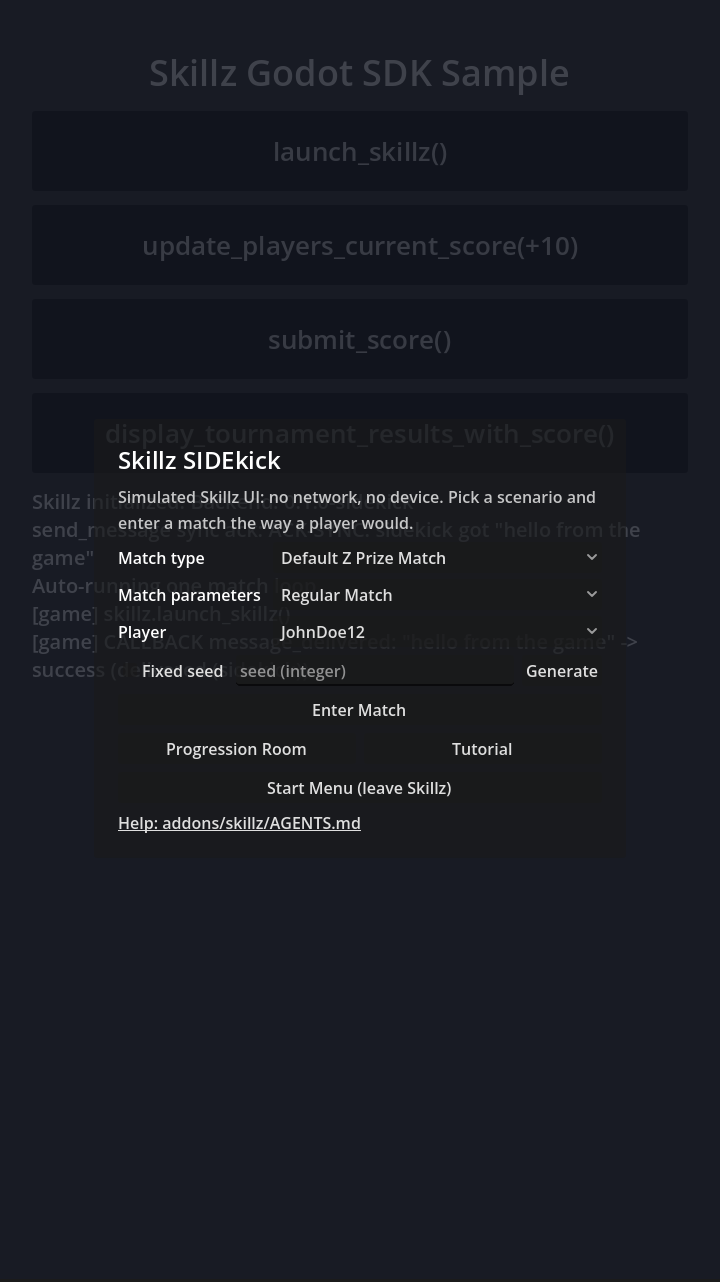
Choose a match type, match parameters, and player template for the match. When you press the Enter Match button, the simulator starts a simulated match.
Note: If the match does not start, check the Check integration report in the SIDEkick dock.
When the match is completed a match results screen will appear:
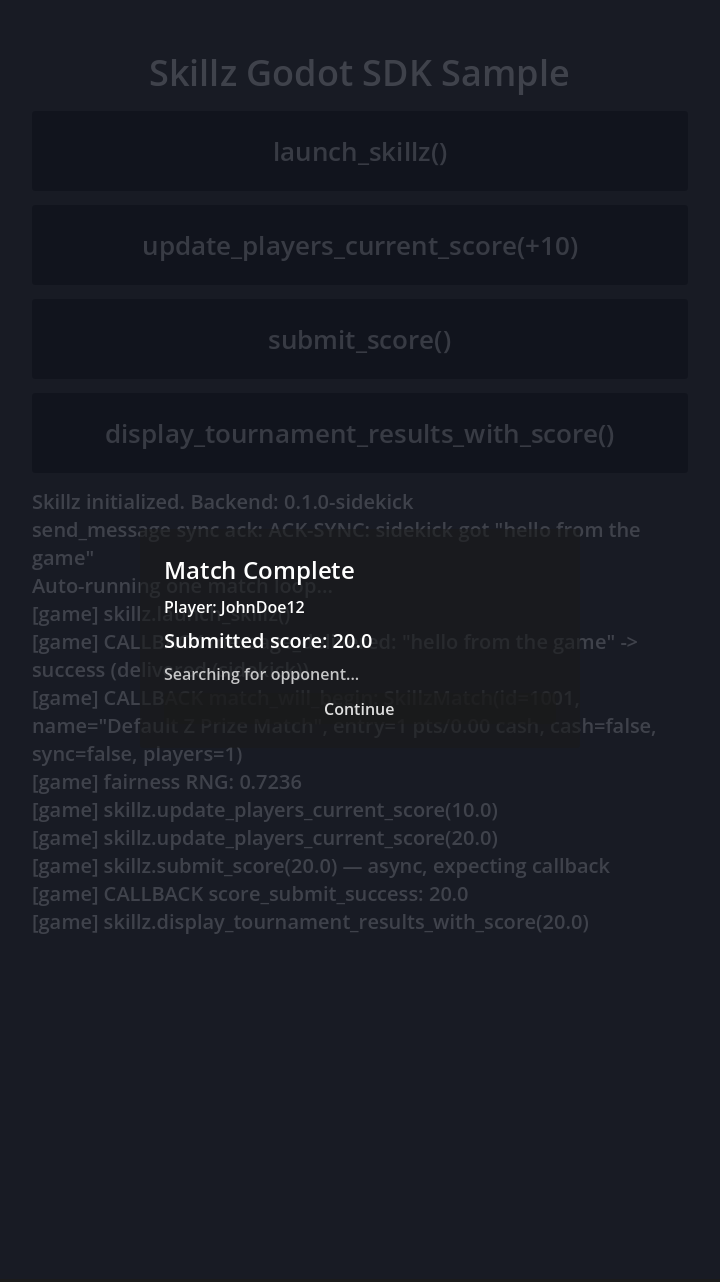
Desktop QA Builds
Add the custom feature tag skillz_sim to a desktop export preset and the exported build runs the simulator too, so QA can play the full loop on a laptop without a device. Exports without the tag never include the simulator path.
Simulating Responses to Skillz API Calls
Creating the Project Config
In the SIDEkick dock, click Create project config. This copies the SDK's default scenarios to res://skillz_sidekick/skillz_sidekick_config.tres in your project. The simulator reads that file first, then the skillz/sidekick/config project setting, then its built-in defaults.
Keep your own scenarios in that project folder, never inside addons/skillz/, which an SDK update overwrites.
Modifying Template Values
Open skillz_sidekick_config.tres in the Inspector. It holds the same five template types as the Unity SIDEkick:
| Template | Resource | What it feeds |
|---|---|---|
| Match types | SkillzSimMatchType | get_match_info() |
| Match parameters | SkillzSimMatchParameters | get_match_rules() |
| Players | SkillzSimPlayer | get_player() |
| Progression | SkillzSimProgressionResponses | the progression calls |
| Seasons | SkillzSimSeasons | the seasons calls |
The editable values correspond to values returned through API calls. When the Default Z Prize Match template is chosen on the simulated Tournament Selection screen, the SkillzMatch returned from get_match_info() has the values from that resource. The defaults are the same as the Unity SIDEkick ones. Add or remove entries in the Inspector's array editors.
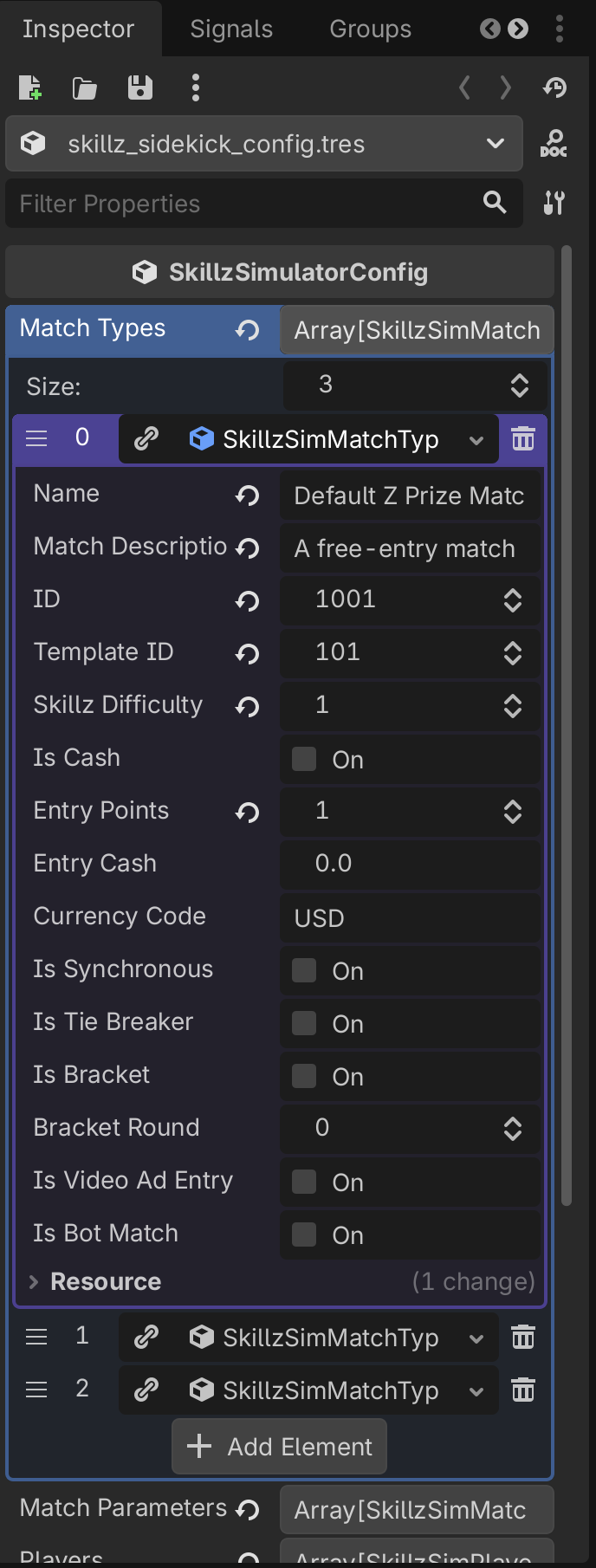
A match type's is_bot_match makes is_bot_match_in_progress() true so bot-match code paths can be exercised.
NOTE: SIDEkick will only work when you run the game in the Godot editor or in a desktop build with the skillz_sim feature tag. When the game is built to iOS or Android the API calls populate these fields with data from Skillz servers.
Simulator Options
The config also carries simulator options: callback latency, failure injection for score submission and progression (to test your score_submit_failure and on_failure handling), and the seed mode described next.
Testing Fairness with SIDEkick
SIDEkick can be set to generate specific sets of random numbers for calls to Skillz.skillz_random_*. This can be used to check if your game is generating an even playing field during a match.
Set the seed mode to fixed seeds in the simulator options, or enter a value in the lobby's Fixed seed field for one match. With fixed seeds, skillz_random_* replays the same MT19937 stream every match, the same stream the Skillz Web SDK produces for those seeds, so a deal or a level is reproducible.
Run multiple games in a row using SIDEkick with the same seed. Then ensure the match looks the same each time. This simulates two players entering a match with the same Skillz RNG.
What SIDEkick Cannot Tell You
It never touches the network, Gradle or Xcode. A wrong game ID, a Sandbox/Production mix-up or a missing Developer Console enablement therefore only shows on a device, and an iOS linker problem or an Android manifest problem only shows when Xcode or Gradle builds the exported project (the export log and the dock's Check integration catch the project-settings side of those, not the build itself). Scores are not persisted and progression updates are in-memory for that run, as in Unity.